In this short guide we are going to look at how we can authorise our IP address on the new my.megacall.es platform and also the ip´s that we will need to whitelist to ensure that both Signalling and RTP traffic is received correctly and ensures that calls connect successfully.
First of all you will need to whitelist the following Subnets, these will ensure that both signalling and RTP traffic can reach your server correctly:-
185.45.152.0/24
185.45.154.0/24
185.45.155.0/24
195.122.19.0/27
31.31.222.192/27
15.235.128.64/28
Next we need to log in to https://my.megacall.es and then click on Settings > SIP Connection
In the list we will see the SIP Trunk(s) that we have set up. SIP Connection settings allow you to register via Username and Password however they can also be tied down to your IP address by configuring the "Authorization by IP"
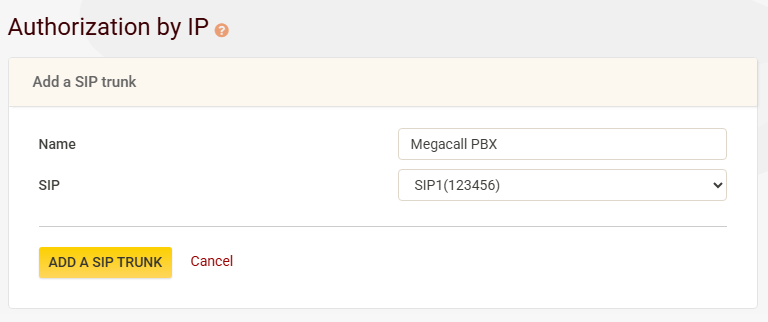
In the Name field we can add a relevant name for the trunk, we will call ours Megacall PBX, we will also select the SIP Trunk which shows #123456, the other one in the screenshot below refers to the SIP Trunk that points to the Megacall PBX (hence the cloud icon).
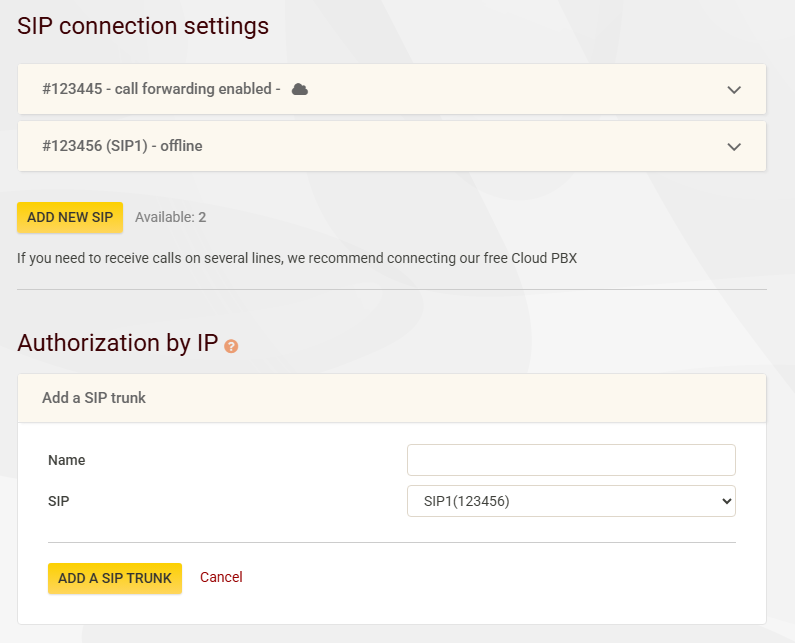
Once selected we need to click on "Add a SIP Trunk"
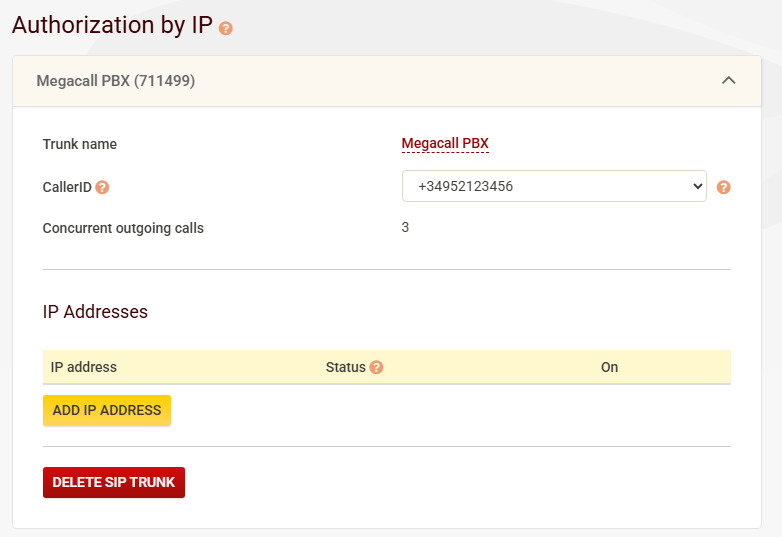
We will now see an extension of the page where we have a yellow button that says "Add IP Address", this is so we can add the IP(s) of our servers.
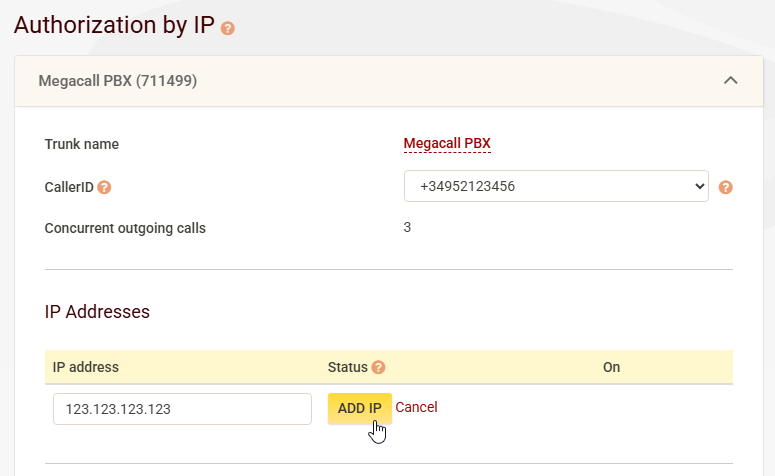
Once we have added the IP we then need to click on the "Add IP" button, the final step is to then make a call from your server to sip.megacall.es and to the number 8888. You should hear a recording stating "IP Address activated", you can hang up after this.
If all was successfull you should now see the status "Confirmed", this means that calls from that IP address will be permitted to make calls.
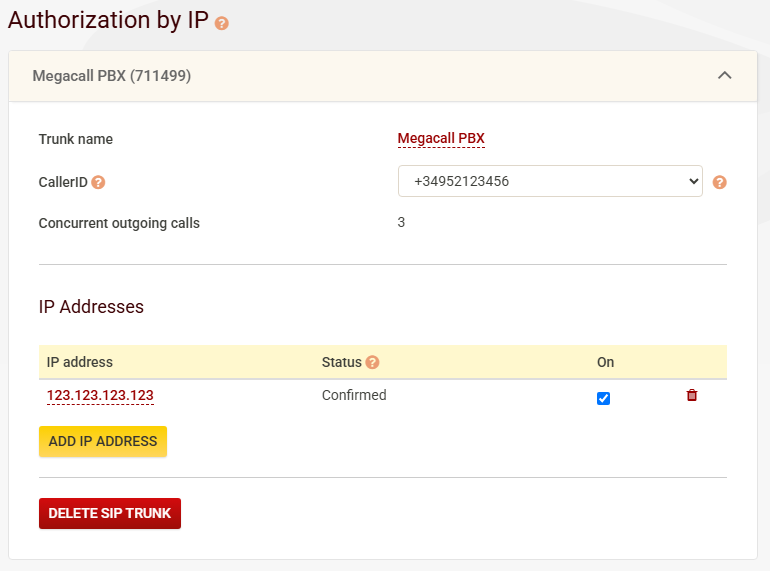
You can add multiple IP addresses to one specific trunk and would need to carry out the same process of verification for each.
Was this article helpful?
That’s Great!
Thank you for your feedback
Sorry! We couldn't be helpful
Thank you for your feedback
Feedback sent
We appreciate your effort and will try to fix the article